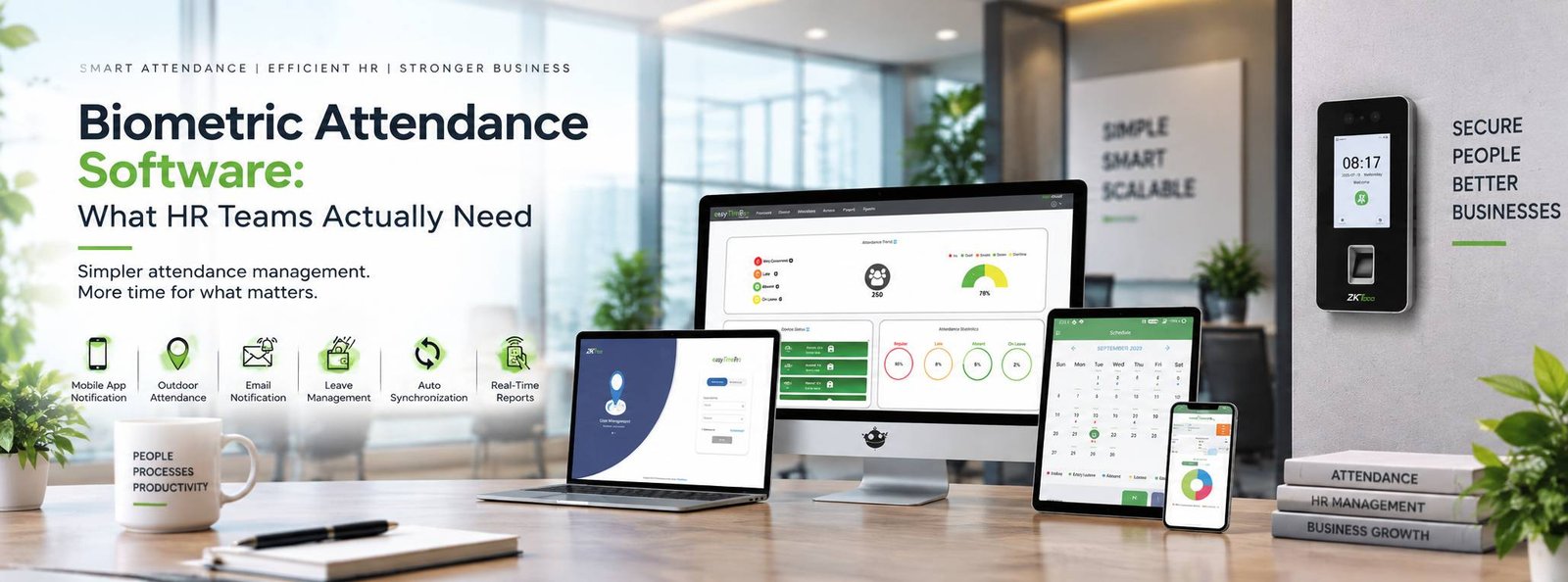
Ask an HR employee what takes time during the end of the month, and attendance is likely to come up, Collecting punch data is only the beginning. After that, someone needs to check late arrivals, missing punches, leave, overtime, shifts and working hours. If the information is spread across different Excel files or attendance machines, the process becomes even more time-consuming.
This is why biometric attendance software has become an important part of employee attendance management, The biometric device records when an employee punches in or out. The software takes that information and turns it into something HR can actually use.
A biometric machine alone is not enough
Suppose an employee enters the office at 9:20 AM. the biometric device can record the time. but HR may need to know whether 9:20 AM is late for that employee. If the employee’s shift starts at 9:30 AM, it isn’t. If the shift starts at 9:00 AM, it may be. the software uses the employee’s assigned shift and attendance rules to process the punch, This is where attendance software becomes more useful than simply downloading a list of punch times from a machine.
What about employees who don't sit in an office?
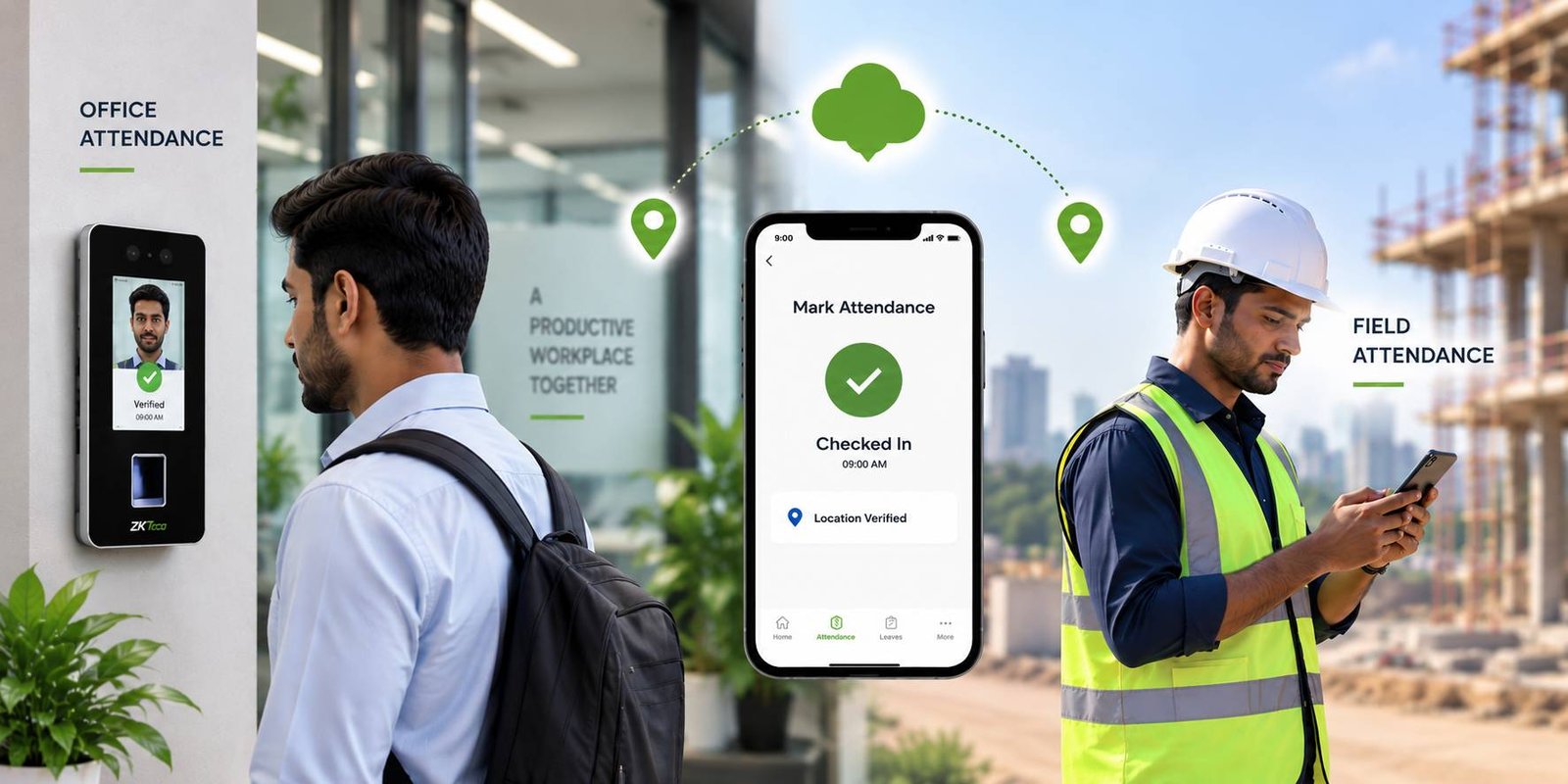
Traditional biometric attendance works best when employees regularly visit a fixed workplace, But many companies have salespeople, service engineers, installation teams and other field employees, For these employees, mobile attendance can be useful, Depending on the software, employees may be able to record attendance through a mobile application, with location or geofencing rules used to control where the punch can be made, This gives HR a way to manage office and field employees within the same broader attendance system.
Managing employee information
A good attendance system should give HR a central place to maintain employee information, Employees can be organized by department, designation, location or other categories used by the organization, When an employee moves to another department or location, the relevant information can be updated without having to rebuild the attendance system from scratch, This becomes increasingly important as the organization grows.
Shift management can make a big difference
Attendance becomes much more complicated when employees work different shifts, A manufacturing company may have three shifts. A hospital may have employees working around the clock. A security company may have guards working long or overnight shifts, The software needs to understand these schedules, It should be able to distinguish between a normal shift, a night shift and an employee working overtime, Cross-day shifts are particularly important. If an employee starts work at 10 PM and leaves at 6 AM the following morning, the system should understand that both punches belong to the same working shift, Without proper shift configuration, even a good biometric device can produce confusing attendance reports.
Leave and attendance should not be separate
Another common problem is maintaining leave information separately from attendance, An employee is absent on Monday. HR knows the employee had approved leave, but if the attendance system doesn’t know about it, Monday may simply appear as an absence, When leave management is integrated with attendance, the system can use the approved leave information when preparing attendance records, This reduces the amount of manual correction HR needs to do.
Overtime needs proper handling
Overtime is another area where manual calculations can become messy, Not every extra hour at the workplace should automatically become overtime. The company’s rules may require approval before overtime is counted.
Attendance software can provide a workflow where employees or managers submit overtime requests and the appropriate person approves them, This gives HR a record of what was requested and what was actually approved.
Multiple offices create another challenge
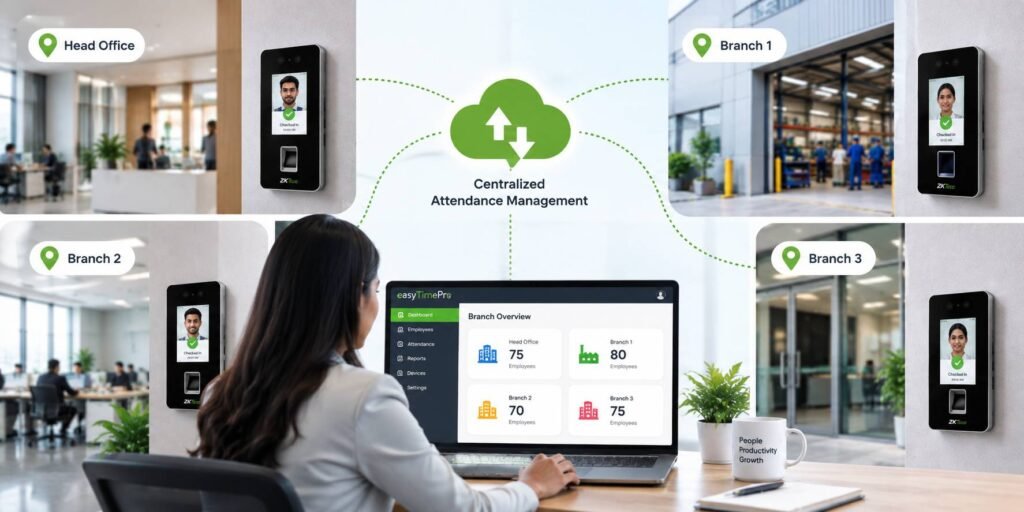
Consider a company with 300 employees spread across four branches, If every branch maintains attendance separately, HR may need to collect files from each location and combine them before preparing reports, A centralized system can make this process much easier, Attendance devices at different locations can be connected to the software, allowing authorized administrators to manage employees and attendance information from a central location, This is particularly useful for businesses that are expanding into multiple branches.
Reports should answer real questions
HR doesn’t need hundreds of complicated reports just for the sake of having them, The useful reports are the ones that answer everyday questions.
For example:
- Who was absent today?
- Who came late?
- Who left early?
- How many hours did an employee work?
- Who worked overtime?
- Which employees have missing punches?
- How many days has an employee been on leave?
- Which department has frequent attendance issues?
The software should make these answers easy to obtain without requiring HR to spend hours working with spreadsheets.
Payroll integration can reduce duplicate work
Attendance and payroll are closely connected, Working hours, leave, overtime and other attendance information may affect an employee’s salary, If HR has to manually transfer attendance information from one system to another every month, there is more opportunity for errors, Where payroll integration is supported, attendance data can be passed to the relevant payroll process, reducing duplicate data entry, The exact integration required will depend on the company’s payroll software and policies, so it is worth checking compatibility before purchasing.
Cloud and web-based attendance systems
Businesses with multiple offices often prefer web-based attendance solutions because authorized users can access the system from different locations, This can be useful for HR managers who don’t sit at the same location as the employees, However, companies should still consider data security, user permissions, backups and internet connectivity when choosing a cloud or web-based platform.
Don't buy software based only on the feature list
Almost every attendance software product has a long list of features, The more useful question is whether those features match your company’s actual requirements, If you have 25 employees and one shift, you may not need an extremely complex workforce-management platform, If you have 1,000 employees, multiple branches, different shifts, overtime and field workers, your requirements will obviously be very different, Before purchasing, make a list of your current attendance process and identify what is taking the most time. Then ask the software provider to demonstrate how the system handles those exact situations.
The device and software need to work together
Finally, don’t treat the biometric device and software as two completely separate purchases, The device needs to communicate properly with the software. Employee enrollment, attendance synchronization, network connectivity and reporting all need to work together.
Biometric Access India provides biometric attendance devices and software solutions designed to help organizations manage employee attendance, shifts and related workforce processes, For HR teams, the real value of attendance software is not simply that it records a punch. It is that it can take thousands of individual attendance transactions and turn them into information that is easier to understand and manage, That can save HR staff considerable time, especially as the organization grows, The right attendance system should quietly do its job in the background, while making the daily work of HR simpler.